llegada a tiempo y un excelente equipo
EWS356-FIT: EnGenius Fit 2×2 Indoor Wireless Wi-Fi 6 Access Point with Adapter ($10 Value)
 View full details
Overall rating: 4.7 / 5 from 41 reviews.
llegada a tiempo y un excelente equipo
EWS356-FIT: EnGenius Fit 2×2 Indoor Wireless Wi-Fi 6 Access Point with Adapter ($10 Value)

Works great and the amount function control is awesome.
EWS356-FIT: EnGenius Fit 2×2 Indoor Wireless Wi-Fi 6 Access Point with Adapter ($10 Value)

I love the interface. I love the speed. It ceiling mounts with 2 simple anchors. Highly recommended.
EWS356-FIT: EnGenius Fit 2×2 Indoor Wireless Wi-Fi 6 Access Point with Adapter ($10 Value)

Best priced full featured WiFi 6 Cloud Controlled access point on the market. MerakiGO is no more and Aruba InstantOn is the closest competition but they are more expensive. You can not go wrong with a couple of these as your wireless solution.
EWS356-FIT: EnGenius Fit 2×2 Indoor Wireless Wi-Fi 6 Access Point with Adapter ($10 Value)

Love it electrically as I always have liked your products. We were replacing 5th gen with 6th gen. And it's fast, as shown! Physically we have 2 issues with the new units. The previous gen was round, which made mounting orientation on a ceiling a non issue. {no wrong angle, as opposed to now needing to square the mounting]. The second issue is the new mounting bracket extends the unit 1/2 inch off the ceiling, where as the previous was flush. This does not loo as good, and allows the opening for the ethernet cable in the ceiling to be more visible. I fashioned my own flush mount to address this issue.
EWS356-FIT: EnGenius Fit 2×2 Indoor Wireless Wi-Fi 6 Access Point with Adapter ($10 Value)

It works very well. I just needed it to connect 2 VOIP phones to my PBX system and surprisingly it works great. No issues with sound quality at all, almost ad good as wired network. Range is actually pretty good and so far no problems at all. For the price I do recommend it.
EWS356-FIT: EnGenius Fit 2×2 Indoor Wireless Wi-Fi 6 Access Point with Adapter ($10 Value)

This is a review for the AX3000 (EWS356-Fit).This unit made me stop my bad habit of making cheap-routers-stuck-in-AP-mode-with-cables-everywhere work for my home network. I was previously holding out for a UniFi AP, but I saw these pop-up seemingly out of nowhere and for literally half the cost.It's a little slow to fully broadcast from a cold-boot; not more than 3-5 minutes each time, but noticeable. This is probably either the cheap switch I'm using, the fact that it's running in PoE-mode, or some other experience issue. But once it's up, the signal has no issue reaching the floor below it and my phone as I stand in the driveway. The menu is VERY simple and easy to work with, and the level of control compared to normal consumer hardware that I've just "made work" in the past is VERY nice.Keeping the unit in the same room that the previous access point it was replacing in, I saw a download speed increase of 120 Mbps. I am no longer in the "I don't care about the newest 802.11" crowd.As others have said; there isn't really a good way to flush-mount the thing without modifying the included T-Rails. The gap (for me) was about ~1/2", maybe a little less. It was not a deal breaker for me, but it's worth pointing out.I will definitely be getting at least one more to test the mesh capabilities. Strongly recommend.
EWS356-FIT: EnGenius Fit 2×2 Indoor Wireless Wi-Fi 6 Access Point with Adapter ($10 Value)

I bought the AP for my house to extend my WiFi. I did not have a PoE switch so I needed a power adapter. I searched For the adapter and found that EnGenius had bunch of YouTube videos and I found one for setting up this AP. Within in the video, it directed me to the power adapter I needed. GREAT JOB on the video. I went to their web site to find the power adapter when their chat service popped up. I was greeted by their support agent and they directed me to their online store. I bought the power adapter and then followed the video and set up my AP in no time. EnGenius really made the set up fast and easy. I tested my connection to this AP and it was fast! I am pretty happy with this purchase.
EWS356-FIT: EnGenius Fit 2×2 Indoor Wireless Wi-Fi 6 Access Point with Adapter ($10 Value)
These are for my home. I ordered two of these for each side of our home. Great performance. These are replacing two older EnGenius Access Points. The newer technology is a great improvement.
EWS356-FIT: EnGenius Fit 2×2 Indoor Wireless Wi-Fi 6 Access Point with Adapter ($10 Value)
Client enjoy the additional coverage
EWS356-FIT: EnGenius Fit 2×2 Indoor Wireless Wi-Fi 6 Access Point with Adapter ($10 Value)
I think these things are a great value. They are quite capable in terms of security and segmentation. Highly recomend.
EWS356-FIT: EnGenius Fit 2×2 Indoor Wireless Wi-Fi 6 Access Point with Adapter ($10 Value)
These wifi antennas work great. Set them up in a space approximately 2,500 sq ft. Large open area in the middle with rooms on the ends. They work great and cover the whole space. I set them up about 1/3 of the way from each outer wall longways. Full coverage throughout. Works great with the app. Easy to set up.
EWS356-FIT: EnGenius Fit 2×2 Indoor Wireless Wi-Fi 6 Access Point with Adapter ($10 Value)
Great product for the price and always top notch technical support when needed. 5 Stars
EWS356-FIT: EnGenius Fit 2×2 Indoor Wireless Wi-Fi 6 Access Point with Adapter ($10 Value)
worked perfect
EWS356-FIT: EnGenius Fit 2×2 Indoor Wireless Wi-Fi 6 Access Point with Adapter ($10 Value)
Works great.
EWS356-FIT: EnGenius Fit 2×2 Indoor Wireless Wi-Fi 6 Access Point with Adapter ($10 Value)
Order process was easy. Delivery was earlier than expected.
EWS356-FIT: EnGenius Fit 2×2 Indoor Wireless Wi-Fi 6 Access Point with Adapter ($10 Value)
.
EWS356-FIT: EnGenius Fit 2×2 Indoor Wireless Wi-Fi 6 Access Point with Adapter ($10 Value)
asdf
EWS356-FIT: EnGenius Fit 2×2 Indoor Wireless Wi-Fi 6 Access Point with Adapter ($10 Value)
Works good for a small business environment. The cloud managed app is decent and it has no annual expense.
EWS356-FIT: EnGenius Fit 2×2 Indoor Wireless Wi-Fi 6 Access Point with Adapter ($10 Value)
Among its features, it allows you to increase the power of the antenna in the 5G band.What I don't like is that the back part gets a little hotter than normal.in PoE connection With the application from the mobile it is quite easy to configure
EWS356-FIT: EnGenius Fit 2×2 Indoor Wireless Wi-Fi 6 Access Point with Adapter ($10 Value)
Setup is a bit if a trial.... you.must install the app to do it. The interface isn't as intuitive as I would have liked but take your time and read.... it should be ok
EWS356-FIT: EnGenius Fit 2×2 Indoor Wireless Wi-Fi 6 Access Point with Adapter ($10 Value)
Works great, moounts nicely on wall, comes with mounting brackets for wall, ceiling or suspended ceiling.
EWS356-FIT: EnGenius Fit 2×2 Indoor Wireless Wi-Fi 6 Access Point with Adapter ($10 Value)
Great product and easy to setup.
EWS356-FIT: EnGenius Fit 2×2 Indoor Wireless Wi-Fi 6 Access Point with Adapter ($10 Value)
Upgraded from WIFI5 to WIFI6 and I think it's a good time since these are on sale to make room for new WIFI7 devices.Installation was dead easy with the FitController. I was going to use these in standalone mode but I saw a returned controller sold by Amazon for just $60 so that was a no brainer. It's really plug and play. The FitController handles all of the setup for new APs connected to the network.Really good signal strength compared to that Orbi crap. I'm actually getting AX speed with my laptop whereas on the Orbi it was about the same as AC. Plus these are hardwired APs instead of that unreliable wireless mesh system and even when you hardwire the Orbi, getting it to work properly was a bit of a challenge. I don't know if it was software or hardware or both but on the Orbi, hardwire connections on satellites would just die randomly and it would take forever for that satellite to get back on network.This might even be easier to setup and deploy than Ubiquity and costing a lot less as well. Nice work, Engenius.
EWS356-FIT: EnGenius Fit 2×2 Indoor Wireless Wi-Fi 6 Access Point with Adapter ($10 Value)
working very good
EWS356-FIT: EnGenius Fit 2×2 Indoor Wireless Wi-Fi 6 Access Point
It does L2 isolation, client isolation, and vlan isolation, your choice. Until a few weeks ago I had no idea what this meant. I had to return an eap650/omada because I wasn't able to properly isolate/vlan my iot devices. I could do a guest network which enabled isolation but then I couldn't pick off individual devices to pass through to my hassos or phone. This device allows full paranoia. Yes, you can easily click create a 'guest network' and funnel those only to the internet, but the iot stuff usually needs more nuance. Device isolation keeps your filthy iot devices from infecting each other and then you can add vlan tags to do additional L3 stuff at your firewall, eg, keep it off your LAN, allow a device/s to your phone/s for whatever, let some devices connect to hassos.Plus, it's made it Taiwan, not China.More to come......mesh setup: it has settings for setting up mesh but I can't get a new ap to connect to the existing ap in mesh mode. I had to setup an identical set of ssid's/wpa2 and then 'fast roaming' for each ssid to enable the seamless handoff between ap's. I'm in standalone mode, maybe the controller does this easier. Also I'm on f/w 1.0.4.
EWS356-FIT: EnGenius Fit 2×2 Indoor Wireless Wi-Fi 6 Access Point with Adapter ($10 Value)
Overall this seems to be a good access point. We integrate these types of units for small businesses. I had previously accepted that Cloud Management for Engenius AP's is how things are done now, only to learn this model (at the time of this review) is the traditional LAN-only management. Not a major issue, and perhaps a plus for some buyers.
EWS356-FIT: EnGenius Fit 2×2 Indoor Wireless Wi-Fi 6 Access Point with Adapter ($10 Value)
I've only had these installed for 18 hours but I can say, so far, quite satisfied with them. 2600 sq ft split level home.Background: I grew tired of netgear not updating my Orbi units for the web interface, where they no longer can do a SSL key exchange for the web interface on updated browsers. Pretty lame Netgear for a year and a half old system. I put those in AP mode and used my Ubiquity EdgeRouter to handle firewall and routing and my pihole to hand out DHCP, I put those Orbis in AP mode. Streaming from my phones and smart devices suffered big time. It's almost like AP mode broke the mesh of the orbi and satellite. SO I did a little research and I already have a POE Switch so I found these.Installation: Installing was a breeze. The included mounts are good enough for most situations. I opted for using the App for setup, but I do like the fact that these can operate Stand-alone in case the app dies or this company goes away. I set up my SSIDs as I had them on my Orbi, and after about 10 minutes or so everything was working at speeds I was used to.Difficulties: The App's push settings to the APs take a bit of time, and the app logs in every time you open it. I don't foresee me having to manage these often since it's just my home network, but minor tweaks may be in order to 5ghz channels. Firmware updates are defaulted to Sundays at 2am, but it would be nice to force updates when I want.Overall: These are providing a much better streaming experience than my Orbi setup in AP mode, and nearly identical when the Orbis were running the show themselves. If anything, these APs give me more control and flexibility.I'll update this review if these APs prove ot be unreliable, but so far, I'm happy!
EWS356-FIT: EnGenius Fit 2×2 Indoor Wireless Wi-Fi 6 Access Point with Adapter ($10 Value)
The access point was difficult to set up, I required technical support. She did an excellent job getting my up and running
EWS356-FIT: EnGenius Fit 2×2 Indoor Wireless Wi-Fi 6 Access Point with Adapter ($10 Value)
Good performance for the price
EWS356-FIT: EnGenius Fit 2×2 Indoor Wireless Wi-Fi 6 Access Point with Adapter ($10 Value)
Everything is awesome with these 2 WAPs (bought 2 to replace older ones) , excepting the IP address assignment: they have their own DHCP built-in with the 172.16.xx.xx block. No worries for me who been in IT for over 35 years and know how to add their route to my existing main router. Bringing this up for others who may not know how to add they will find out printers are not working if those devices are hardwired...
EWS356-FIT: EnGenius Fit 2×2 Indoor Wireless Wi-Fi 6 Access Point with Adapter ($10 Value)
The feature set is solid. I feel like I've gotten my money's worth from this device. However the usability of the WebUI needs some work. It has the wrong product at the top causing me to do a double take and check I actually got the right thing. Also, the navigation through the settings is hap-hazard at best. It's very difficult to find where a specific thing is. There are mandatory popup windows, and some options are poorly labeled. The multiple ssid and vlan options are useful. Signal strength isn't anything to write home about, but it is acceptable, my previous router did better (mounted in the same location). I also noticed quite a bit of web traffic from it as soon as I plugged it in. I haven't analysed it, but if privacy is a concern of yours you may want to dig a little deeper before commiting on this.
EWS356-FIT: EnGenius Fit 2×2 Indoor Wireless Wi-Fi 6 Access Point with Adapter ($10 Value)
This is a truly unbeatable value for a highly configurable WiFi6 PoE access point. The app and online cloud functionality works well enough. Great coverage and speeds. The case design makes it virtually impossible to cleanly mount it on a wall/ceiling so if that's your goal, look elsewhere. Wish they kept their old "smoke alarm" style which was super easy to mount on a ceiling. I absolutely don't understand the drop ceiling rail mounting style for something being marketed as a SOHO device. For best results, this is not a plug and play option but if you know how to configure it (or wiling to learn), you will not be disappointed.
EWS356-FIT: EnGenius Fit 2×2 Indoor Wireless Wi-Fi 6 Access Point with Adapter ($10 Value)
I replaced my older Ubquiti Unifi AP Pro AC with this. My speeds over WiFi doubled with 802.11AX WiFi 6. The signal doesnt go quite as far, but setup was easy and the signal goes as far as I need it to.Side note, the SSIDs gave me a lot of trouble because it would not broadcast. What I had to do to fix it was remove all SSIDs completely even the defaults. Issue the AP a reboot. Confirmed deletion and made the new ones. Waited 10 minutes, then rebooted again and after another 10 minutes they showed up and worked.
EWS356-FIT: EnGenius Fit 2×2 Indoor Wireless Wi-Fi 6 Access Point with Adapter ($10 Value)
I bought two to replace my wireless routers in AP mode. These are great.I likes the VLAN to easily separate my networks.These seem to run an OpenWRT variant. Time will tell how long term software support (security patches etc.) will be.
EWS356-FIT: EnGenius Fit 2×2 Indoor Wireless Wi-Fi 6 Access Point with Adapter ($10 Value)
This WAP works as promised and, using the app, was easy to set up in a basic configuration. Speed is good and it doesn't drop connections in my environment.Having said that, the setup app isn't really designed for walking you through the most common use for a WAP, that of creating a multi-access point single-SSID network. I set it up using the default SSIDs and it works but I found that it wasn't clear how to get what I wanted. A little Google research got me what I needed to know (configure your router and the WAP to use a static IP address) and then use the same SSID name/password for each WAP installed.
EWS356-FIT: EnGenius Fit 2×2 Indoor Wireless Wi-Fi 6 Access Point with Adapter ($10 Value)
Needed a 3rd Mesh Node to cover some dead zones at my house. I had a 2 node mesh already configured between models EWS377APv3 and EWS357APv3. I went to purchase another EWS357APv3 and it appears they went EOL and cant be found any longer. Took a chance on the newer cheaper model - EWS356-FIT and it joined the mesh without any issues. Configuration pages are the same as the older models which is great. I do not use the cloud features and just use the local configuration (which is what I wanted). These are really solid AP's.
EWS356-FIT: EnGenius Fit 2×2 Indoor Wireless Wi-Fi 6 Access Point with Adapter ($10 Value)
The EnGenius EWS356-FIT is a remarkable Wi-Fi 6 access point that delivers impressive performance, easy setup, affordable pricing, and smooth coverage. I experienced a significant boost in network speed and stability, making it perfect for streaming, gaming, and video conferences. Setting it up was a breeze thanks to the user-friendly app, and the affordable price makes it a smart investment. The access point's powerful signal strength and intelligent beamforming ensure seamless coverage throughout my home, eliminating any dead zones. If you're looking for a high-performance, cost-effective Wi-Fi upgrade, the EWS356-FIT is an excellent choice.
EWS356-FIT: EnGenius Fit 2×2 Indoor Wireless Wi-Fi 6 Access Point with Adapter ($10 Value)
We really needed better Wi-Fi in the back our house. The EWS356-fit was super easy to set up and we got awesome coverage now. Fast downloads, excellent hi-def streaming and better cell coverage too.It's great.
EWS356-FIT: EnGenius Fit 2×2 Indoor Wireless Wi-Fi 6 Access Point with Adapter ($10 Value)
EWS356-FIT with a straightforward installation process save my time and effort. It come with clear instructions and automated setup. By minimizing technical hurdles and complexities, easy installation allows me to quickly get up and running with the EWS356-FIT, making it accessible even to people like me with limited technical knowledge.It come with intuitive user interface is designed with the user in mind, emphasizing ease of use and simplicity. Intuitive interfaces make it easier for me to navigate through features, customize settings, and accomplish tasks, ultimately l have satisfying user experience.It is simple to use or managed allow me to focus on my tasks rather than dealing with complex configurations or tedious maintenance.AP that offer ultra-fast speed prioritize optimized algorithms, efficient resource utilization, and high-bandwidth capabilities.This AP with a stable connection is essential for uninterrupted communication, data transfer, and online activities. For wireless connection, I rely on consistent and reliable performance. It provide a stable connection incorporate robust networking protocols and signal optimization techniques.
EWS356-FIT: EnGenius Fit 2×2 Indoor Wireless Wi-Fi 6 Access Point with Adapter ($10 Value)


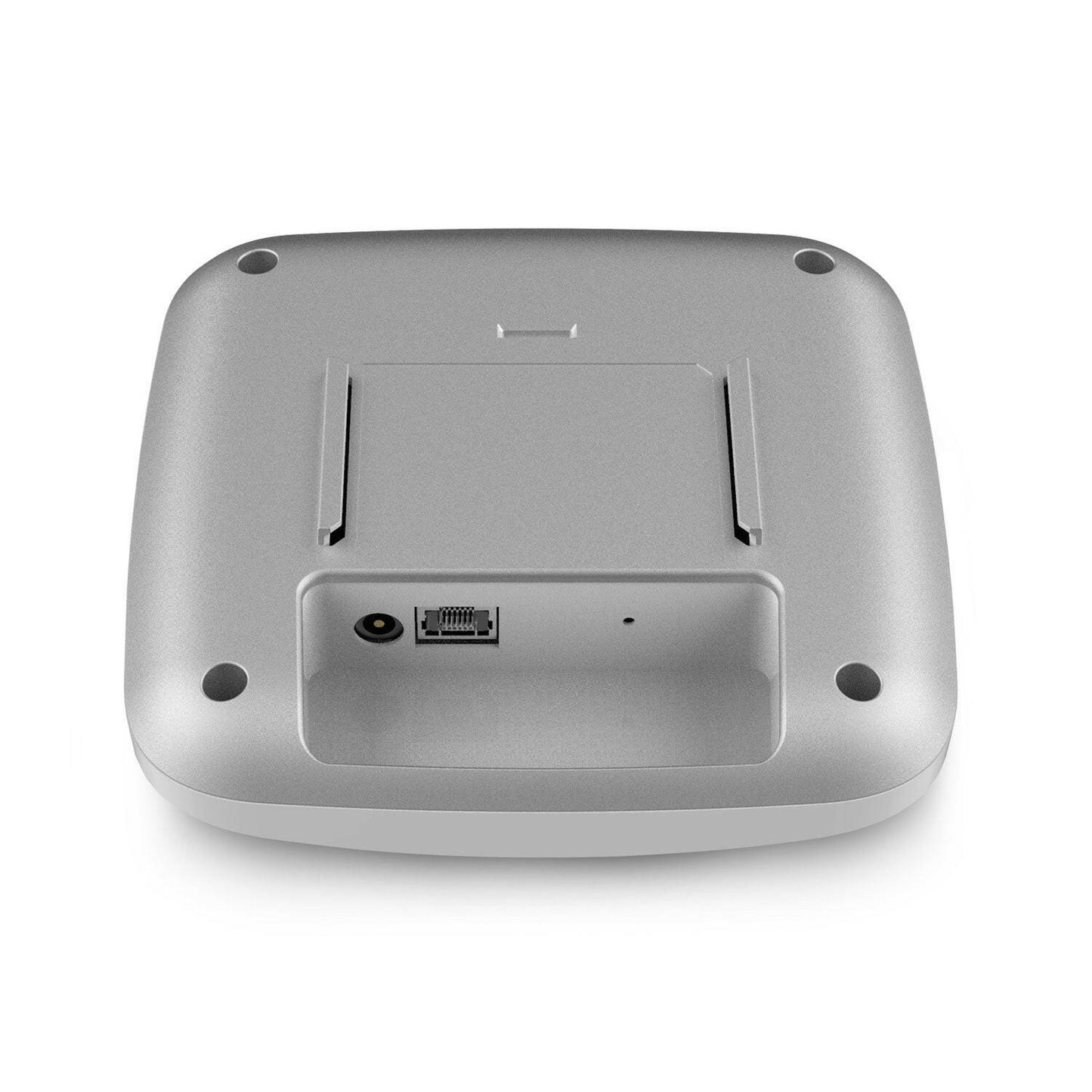
EWS356-FIT: EnGenius Fit 2×2 Indoor Wireless Wi-Fi 6 Access Point with Adapter ($10 Value)


Indoor Access Point speeds up to 2400Mbps on 5GHz and 574Mbps on 2.4GHz
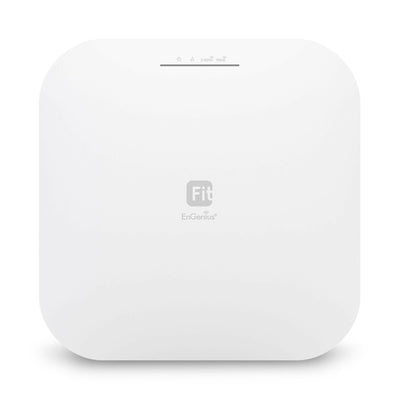
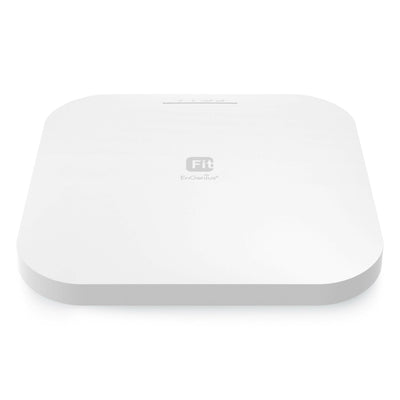
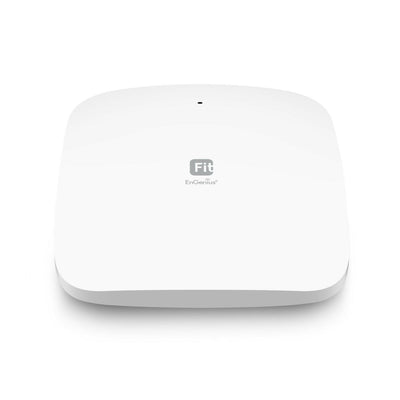
The EnGenius Fit Managed EWS356-FIT Wi-Fi 6 2x2 indoor wireless access point is a business-class device that provides secure and reliable high performance while reducing capital and operating expenses for cost-conscious small businesses. With support for the latest 802.11ax technology on the Qualcomm® platform, this access point can deliver maximum speeds of 574 Mbps (2.4 GHz) and 2,400 Mbps (5 GHz). Additionally, it features an easy-to-use web interface for cloud or on-premises management options based on network architecture and technical aptitude.
- EWS356-FIT Datasheet
- EWS356-FIT Quick Start Guide
- EnGenius Fit FAQs
- EnGenius Fit Access Point Series
- EnGenius Fit Network Management Datasheet

Not satisfied? We allow returns within 30 days of product purchase

This product is compatible with the EnGenius Fit line of products

Supports up to 2,400 Mbps in 5GHz band & 574 Mbps in 2.4GHz band
Overall rating: 4.7 / 5 from 41 reviews.
llegada a tiempo y un excelente equipo
EWS356-FIT: EnGenius Fit 2×2 Indoor Wireless Wi-Fi 6 Access Point with Adapter ($10 Value)
Works great and the amount function control is awesome.
EWS356-FIT: EnGenius Fit 2×2 Indoor Wireless Wi-Fi 6 Access Point with Adapter ($10 Value)
I love the interface. I love the speed. It ceiling mounts with 2 simple anchors. Highly recommended.
EWS356-FIT: EnGenius Fit 2×2 Indoor Wireless Wi-Fi 6 Access Point with Adapter ($10 Value)
Best priced full featured WiFi 6 Cloud Controlled access point on the market. MerakiGO is no more and Aruba InstantOn is the closest competition but they are more expensive. You can not go wrong with a couple of these as your wireless solution.
EWS356-FIT: EnGenius Fit 2×2 Indoor Wireless Wi-Fi 6 Access Point with Adapter ($10 Value)
Love it electrically as I always have liked your products. We were replacing 5th gen with 6th gen. And it's fast, as shown! Physically we have 2 issues with the new units. The previous gen was round, which made mounting orientation on a ceiling a non issue. {no wrong angle, as opposed to now needing to square the mounting]. The second issue is the new mounting bracket extends the unit 1/2 inch off the ceiling, where as the previous was flush. This does not loo as good, and allows the opening for the ethernet cable in the ceiling to be more visible. I fashioned my own flush mount to address this issue.
EWS356-FIT: EnGenius Fit 2×2 Indoor Wireless Wi-Fi 6 Access Point with Adapter ($10 Value)
It works very well. I just needed it to connect 2 VOIP phones to my PBX system and surprisingly it works great. No issues with sound quality at all, almost ad good as wired network. Range is actually pretty good and so far no problems at all. For the price I do recommend it.
EWS356-FIT: EnGenius Fit 2×2 Indoor Wireless Wi-Fi 6 Access Point with Adapter ($10 Value)
This is a review for the AX3000 (EWS356-Fit).This unit made me stop my bad habit of making cheap-routers-stuck-in-AP-mode-with-cables-everywhere work for my home network. I was previously holding out for a UniFi AP, but I saw these pop-up seemingly out of nowhere and for literally half the cost.It's a little slow to fully broadcast from a cold-boot; not more than 3-5 minutes each time, but noticeable. This is probably either the cheap switch I'm using, the fact that it's running in PoE-mode, or some other experience issue. But once it's up, the signal has no issue reaching the floor below it and my phone as I stand in the driveway. The menu is VERY simple and easy to work with, and the level of control compared to normal consumer hardware that I've just "made work" in the past is VERY nice.Keeping the unit in the same room that the previous access point it was replacing in, I saw a download speed increase of 120 Mbps. I am no longer in the "I don't care about the newest 802.11" crowd.As others have said; there isn't really a good way to flush-mount the thing without modifying the included T-Rails. The gap (for me) was about ~1/2", maybe a little less. It was not a deal breaker for me, but it's worth pointing out.I will definitely be getting at least one more to test the mesh capabilities. Strongly recommend.
EWS356-FIT: EnGenius Fit 2×2 Indoor Wireless Wi-Fi 6 Access Point with Adapter ($10 Value)
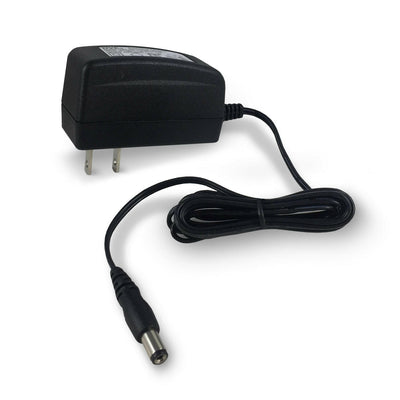
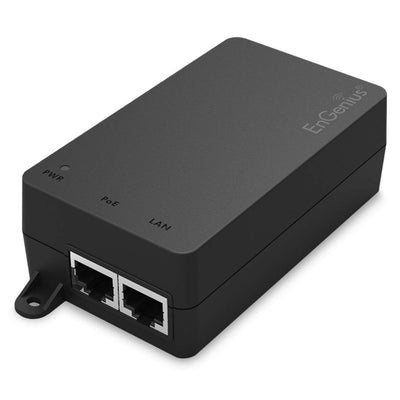
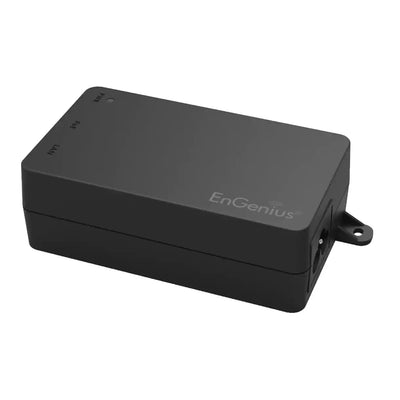
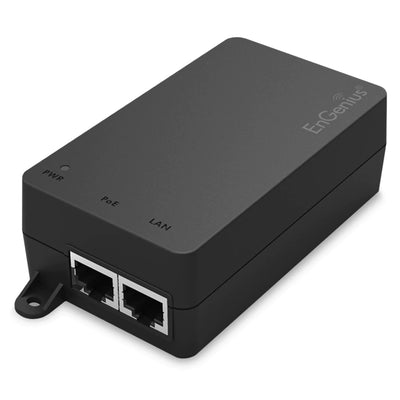
I bought the AP for my house to extend my WiFi. I did not have a PoE switch so I needed a power adapter. I searched For the adapter and found that EnGenius had bunch of YouTube videos and I found one for setting up this AP. Within in the video, it directed me to the power adapter I needed. GREAT JOB on the video. I went to their web site to find the power adapter when their chat service popped up. I was greeted by their support agent and they directed me to their online store. I bought the power adapter and then followed the video and set up my AP in no time. EnGenius really made the set up fast and easy. I tested my connection to this AP and it was fast! I am pretty happy with this purchase.
EWS356-FIT: EnGenius Fit 2×2 Indoor Wireless Wi-Fi 6 Access Point with Adapter ($10 Value)
These are for my home. I ordered two of these for each side of our home. Great performance. These are replacing two older EnGenius Access Points. The newer technology is a great improvement.
EWS356-FIT: EnGenius Fit 2×2 Indoor Wireless Wi-Fi 6 Access Point with Adapter ($10 Value)
Client enjoy the additional coverage
EWS356-FIT: EnGenius Fit 2×2 Indoor Wireless Wi-Fi 6 Access Point with Adapter ($10 Value)
I think these things are a great value. They are quite capable in terms of security and segmentation. Highly recomend.
EWS356-FIT: EnGenius Fit 2×2 Indoor Wireless Wi-Fi 6 Access Point with Adapter ($10 Value)
These wifi antennas work great. Set them up in a space approximately 2,500 sq ft. Large open area in the middle with rooms on the ends. They work great and cover the whole space. I set them up about 1/3 of the way from each outer wall longways. Full coverage throughout. Works great with the app. Easy to set up.
EWS356-FIT: EnGenius Fit 2×2 Indoor Wireless Wi-Fi 6 Access Point with Adapter ($10 Value)
Great product for the price and always top notch technical support when needed. 5 Stars
EWS356-FIT: EnGenius Fit 2×2 Indoor Wireless Wi-Fi 6 Access Point with Adapter ($10 Value)
worked perfect
EWS356-FIT: EnGenius Fit 2×2 Indoor Wireless Wi-Fi 6 Access Point with Adapter ($10 Value)
Works great.
EWS356-FIT: EnGenius Fit 2×2 Indoor Wireless Wi-Fi 6 Access Point with Adapter ($10 Value)
Order process was easy. Delivery was earlier than expected.
EWS356-FIT: EnGenius Fit 2×2 Indoor Wireless Wi-Fi 6 Access Point with Adapter ($10 Value)
.
EWS356-FIT: EnGenius Fit 2×2 Indoor Wireless Wi-Fi 6 Access Point with Adapter ($10 Value)
asdf
EWS356-FIT: EnGenius Fit 2×2 Indoor Wireless Wi-Fi 6 Access Point with Adapter ($10 Value)
Works good for a small business environment. The cloud managed app is decent and it has no annual expense.
EWS356-FIT: EnGenius Fit 2×2 Indoor Wireless Wi-Fi 6 Access Point with Adapter ($10 Value)
Among its features, it allows you to increase the power of the antenna in the 5G band.What I don't like is that the back part gets a little hotter than normal.in PoE connection With the application from the mobile it is quite easy to configure
EWS356-FIT: EnGenius Fit 2×2 Indoor Wireless Wi-Fi 6 Access Point with Adapter ($10 Value)
Setup is a bit if a trial.... you.must install the app to do it. The interface isn't as intuitive as I would have liked but take your time and read.... it should be ok
EWS356-FIT: EnGenius Fit 2×2 Indoor Wireless Wi-Fi 6 Access Point with Adapter ($10 Value)
Works great, moounts nicely on wall, comes with mounting brackets for wall, ceiling or suspended ceiling.
EWS356-FIT: EnGenius Fit 2×2 Indoor Wireless Wi-Fi 6 Access Point with Adapter ($10 Value)
Great product and easy to setup.
EWS356-FIT: EnGenius Fit 2×2 Indoor Wireless Wi-Fi 6 Access Point with Adapter ($10 Value)
Upgraded from WIFI5 to WIFI6 and I think it's a good time since these are on sale to make room for new WIFI7 devices.Installation was dead easy with the FitController. I was going to use these in standalone mode but I saw a returned controller sold by Amazon for just $60 so that was a no brainer. It's really plug and play. The FitController handles all of the setup for new APs connected to the network.Really good signal strength compared to that Orbi crap. I'm actually getting AX speed with my laptop whereas on the Orbi it was about the same as AC. Plus these are hardwired APs instead of that unreliable wireless mesh system and even when you hardwire the Orbi, getting it to work properly was a bit of a challenge. I don't know if it was software or hardware or both but on the Orbi, hardwire connections on satellites would just die randomly and it would take forever for that satellite to get back on network.This might even be easier to setup and deploy than Ubiquity and costing a lot less as well. Nice work, Engenius.
EWS356-FIT: EnGenius Fit 2×2 Indoor Wireless Wi-Fi 6 Access Point with Adapter ($10 Value)
working very good
EWS356-FIT: EnGenius Fit 2×2 Indoor Wireless Wi-Fi 6 Access Point
It does L2 isolation, client isolation, and vlan isolation, your choice. Until a few weeks ago I had no idea what this meant. I had to return an eap650/omada because I wasn't able to properly isolate/vlan my iot devices. I could do a guest network which enabled isolation but then I couldn't pick off individual devices to pass through to my hassos or phone. This device allows full paranoia. Yes, you can easily click create a 'guest network' and funnel those only to the internet, but the iot stuff usually needs more nuance. Device isolation keeps your filthy iot devices from infecting each other and then you can add vlan tags to do additional L3 stuff at your firewall, eg, keep it off your LAN, allow a device/s to your phone/s for whatever, let some devices connect to hassos.Plus, it's made it Taiwan, not China.More to come......mesh setup: it has settings for setting up mesh but I can't get a new ap to connect to the existing ap in mesh mode. I had to setup an identical set of ssid's/wpa2 and then 'fast roaming' for each ssid to enable the seamless handoff between ap's. I'm in standalone mode, maybe the controller does this easier. Also I'm on f/w 1.0.4.
EWS356-FIT: EnGenius Fit 2×2 Indoor Wireless Wi-Fi 6 Access Point with Adapter ($10 Value)
Overall this seems to be a good access point. We integrate these types of units for small businesses. I had previously accepted that Cloud Management for Engenius AP's is how things are done now, only to learn this model (at the time of this review) is the traditional LAN-only management. Not a major issue, and perhaps a plus for some buyers.
EWS356-FIT: EnGenius Fit 2×2 Indoor Wireless Wi-Fi 6 Access Point with Adapter ($10 Value)
I've only had these installed for 18 hours but I can say, so far, quite satisfied with them. 2600 sq ft split level home.Background: I grew tired of netgear not updating my Orbi units for the web interface, where they no longer can do a SSL key exchange for the web interface on updated browsers. Pretty lame Netgear for a year and a half old system. I put those in AP mode and used my Ubiquity EdgeRouter to handle firewall and routing and my pihole to hand out DHCP, I put those Orbis in AP mode. Streaming from my phones and smart devices suffered big time. It's almost like AP mode broke the mesh of the orbi and satellite. SO I did a little research and I already have a POE Switch so I found these.Installation: Installing was a breeze. The included mounts are good enough for most situations. I opted for using the App for setup, but I do like the fact that these can operate Stand-alone in case the app dies or this company goes away. I set up my SSIDs as I had them on my Orbi, and after about 10 minutes or so everything was working at speeds I was used to.Difficulties: The App's push settings to the APs take a bit of time, and the app logs in every time you open it. I don't foresee me having to manage these often since it's just my home network, but minor tweaks may be in order to 5ghz channels. Firmware updates are defaulted to Sundays at 2am, but it would be nice to force updates when I want.Overall: These are providing a much better streaming experience than my Orbi setup in AP mode, and nearly identical when the Orbis were running the show themselves. If anything, these APs give me more control and flexibility.I'll update this review if these APs prove ot be unreliable, but so far, I'm happy!
EWS356-FIT: EnGenius Fit 2×2 Indoor Wireless Wi-Fi 6 Access Point with Adapter ($10 Value)
The access point was difficult to set up, I required technical support. She did an excellent job getting my up and running
EWS356-FIT: EnGenius Fit 2×2 Indoor Wireless Wi-Fi 6 Access Point with Adapter ($10 Value)
Good performance for the price
EWS356-FIT: EnGenius Fit 2×2 Indoor Wireless Wi-Fi 6 Access Point with Adapter ($10 Value)
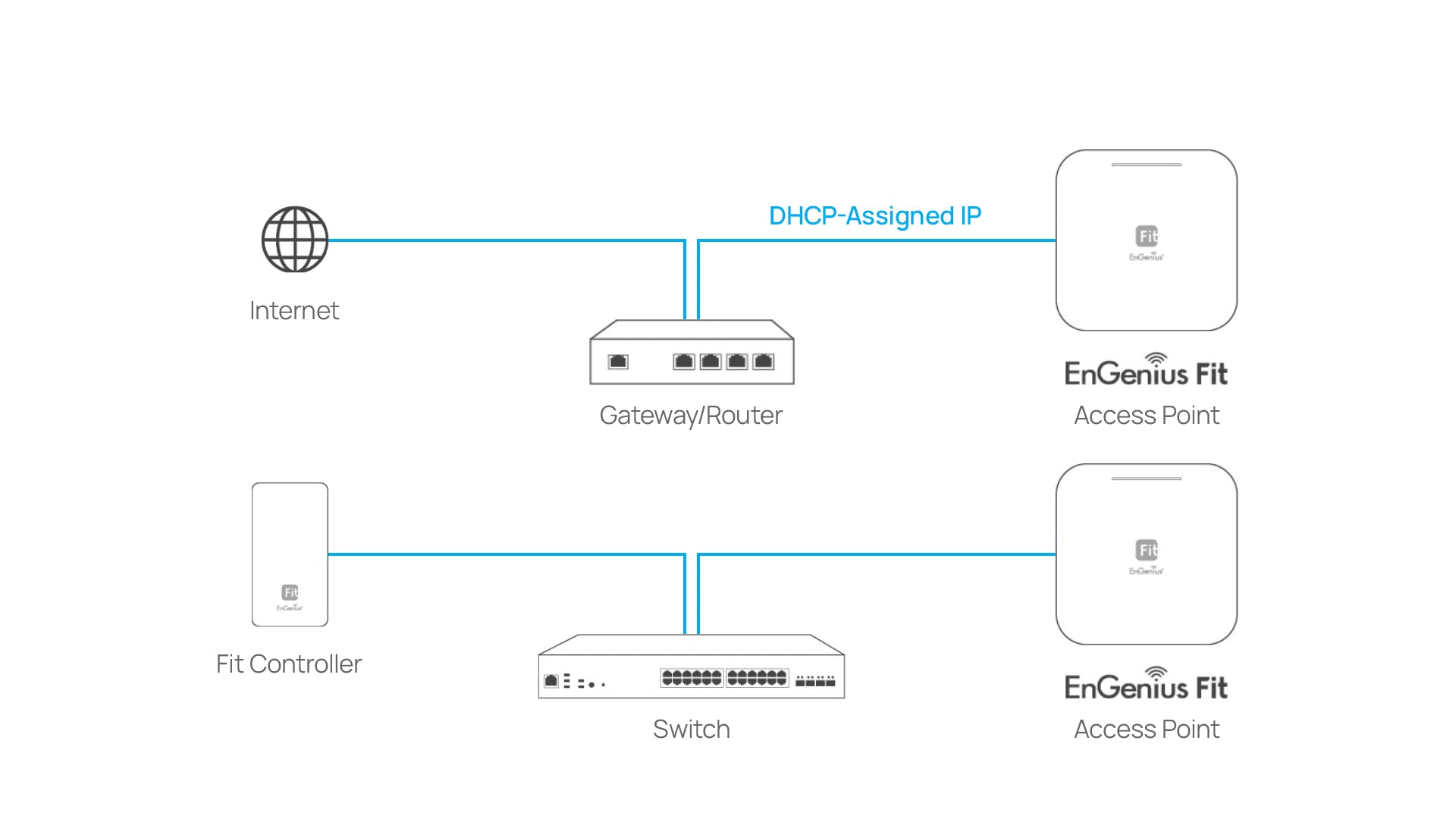
Everything is awesome with these 2 WAPs (bought 2 to replace older ones) , excepting the IP address assignment: they have their own DHCP built-in with the 172.16.xx.xx block. No worries for me who been in IT for over 35 years and know how to add their route to my existing main router. Bringing this up for others who may not know how to add they will find out printers are not working if those devices are hardwired...
EWS356-FIT: EnGenius Fit 2×2 Indoor Wireless Wi-Fi 6 Access Point with Adapter ($10 Value)
The feature set is solid. I feel like I've gotten my money's worth from this device. However the usability of the WebUI needs some work. It has the wrong product at the top causing me to do a double take and check I actually got the right thing. Also, the navigation through the settings is hap-hazard at best. It's very difficult to find where a specific thing is. There are mandatory popup windows, and some options are poorly labeled. The multiple ssid and vlan options are useful. Signal strength isn't anything to write home about, but it is acceptable, my previous router did better (mounted in the same location). I also noticed quite a bit of web traffic from it as soon as I plugged it in. I haven't analysed it, but if privacy is a concern of yours you may want to dig a little deeper before commiting on this.
EWS356-FIT: EnGenius Fit 2×2 Indoor Wireless Wi-Fi 6 Access Point with Adapter ($10 Value)
This is a truly unbeatable value for a highly configurable WiFi6 PoE access point. The app and online cloud functionality works well enough. Great coverage and speeds. The case design makes it virtually impossible to cleanly mount it on a wall/ceiling so if that's your goal, look elsewhere. Wish they kept their old "smoke alarm" style which was super easy to mount on a ceiling. I absolutely don't understand the drop ceiling rail mounting style for something being marketed as a SOHO device. For best results, this is not a plug and play option but if you know how to configure it (or wiling to learn), you will not be disappointed.
EWS356-FIT: EnGenius Fit 2×2 Indoor Wireless Wi-Fi 6 Access Point with Adapter ($10 Value)
I replaced my older Ubquiti Unifi AP Pro AC with this. My speeds over WiFi doubled with 802.11AX WiFi 6. The signal doesnt go quite as far, but setup was easy and the signal goes as far as I need it to.Side note, the SSIDs gave me a lot of trouble because it would not broadcast. What I had to do to fix it was remove all SSIDs completely even the defaults. Issue the AP a reboot. Confirmed deletion and made the new ones. Waited 10 minutes, then rebooted again and after another 10 minutes they showed up and worked.
EWS356-FIT: EnGenius Fit 2×2 Indoor Wireless Wi-Fi 6 Access Point with Adapter ($10 Value)
I bought two to replace my wireless routers in AP mode. These are great.I likes the VLAN to easily separate my networks.These seem to run an OpenWRT variant. Time will tell how long term software support (security patches etc.) will be.
EWS356-FIT: EnGenius Fit 2×2 Indoor Wireless Wi-Fi 6 Access Point with Adapter ($10 Value)
This WAP works as promised and, using the app, was easy to set up in a basic configuration. Speed is good and it doesn't drop connections in my environment.Having said that, the setup app isn't really designed for walking you through the most common use for a WAP, that of creating a multi-access point single-SSID network. I set it up using the default SSIDs and it works but I found that it wasn't clear how to get what I wanted. A little Google research got me what I needed to know (configure your router and the WAP to use a static IP address) and then use the same SSID name/password for each WAP installed.
EWS356-FIT: EnGenius Fit 2×2 Indoor Wireless Wi-Fi 6 Access Point with Adapter ($10 Value)
Needed a 3rd Mesh Node to cover some dead zones at my house. I had a 2 node mesh already configured between models EWS377APv3 and EWS357APv3. I went to purchase another EWS357APv3 and it appears they went EOL and cant be found any longer. Took a chance on the newer cheaper model - EWS356-FIT and it joined the mesh without any issues. Configuration pages are the same as the older models which is great. I do not use the cloud features and just use the local configuration (which is what I wanted). These are really solid AP's.
EWS356-FIT: EnGenius Fit 2×2 Indoor Wireless Wi-Fi 6 Access Point with Adapter ($10 Value)
The EnGenius EWS356-FIT is a remarkable Wi-Fi 6 access point that delivers impressive performance, easy setup, affordable pricing, and smooth coverage. I experienced a significant boost in network speed and stability, making it perfect for streaming, gaming, and video conferences. Setting it up was a breeze thanks to the user-friendly app, and the affordable price makes it a smart investment. The access point's powerful signal strength and intelligent beamforming ensure seamless coverage throughout my home, eliminating any dead zones. If you're looking for a high-performance, cost-effective Wi-Fi upgrade, the EWS356-FIT is an excellent choice.
EWS356-FIT: EnGenius Fit 2×2 Indoor Wireless Wi-Fi 6 Access Point with Adapter ($10 Value)
We really needed better Wi-Fi in the back our house. The EWS356-fit was super easy to set up and we got awesome coverage now. Fast downloads, excellent hi-def streaming and better cell coverage too.It's great.
EWS356-FIT: EnGenius Fit 2×2 Indoor Wireless Wi-Fi 6 Access Point with Adapter ($10 Value)
EWS356-FIT with a straightforward installation process save my time and effort. It come with clear instructions and automated setup. By minimizing technical hurdles and complexities, easy installation allows me to quickly get up and running with the EWS356-FIT, making it accessible even to people like me with limited technical knowledge.It come with intuitive user interface is designed with the user in mind, emphasizing ease of use and simplicity. Intuitive interfaces make it easier for me to navigate through features, customize settings, and accomplish tasks, ultimately l have satisfying user experience.It is simple to use or managed allow me to focus on my tasks rather than dealing with complex configurations or tedious maintenance.AP that offer ultra-fast speed prioritize optimized algorithms, efficient resource utilization, and high-bandwidth capabilities.This AP with a stable connection is essential for uninterrupted communication, data transfer, and online activities. For wireless connection, I rely on consistent and reliable performance. It provide a stable connection incorporate robust networking protocols and signal optimization techniques.
EWS356-FIT: EnGenius Fit 2×2 Indoor Wireless Wi-Fi 6 Access Point with Adapter ($10 Value)
Standards
IEEE 802.11ax on 2.4 GHz
IEEE 802.11ax on 5 GHz
Backward compatible with 802.11a/b/g/n/ac
Processor
Qualcomm® Quad-Core CPU ARM Cortex A53s @ 1.0GHz
Antenna
2 x 2.4 GHz: 4 dBi
2 x 5 GHz: 5 dBi
Integrated Omni-Directional Antenna
Physical Interface
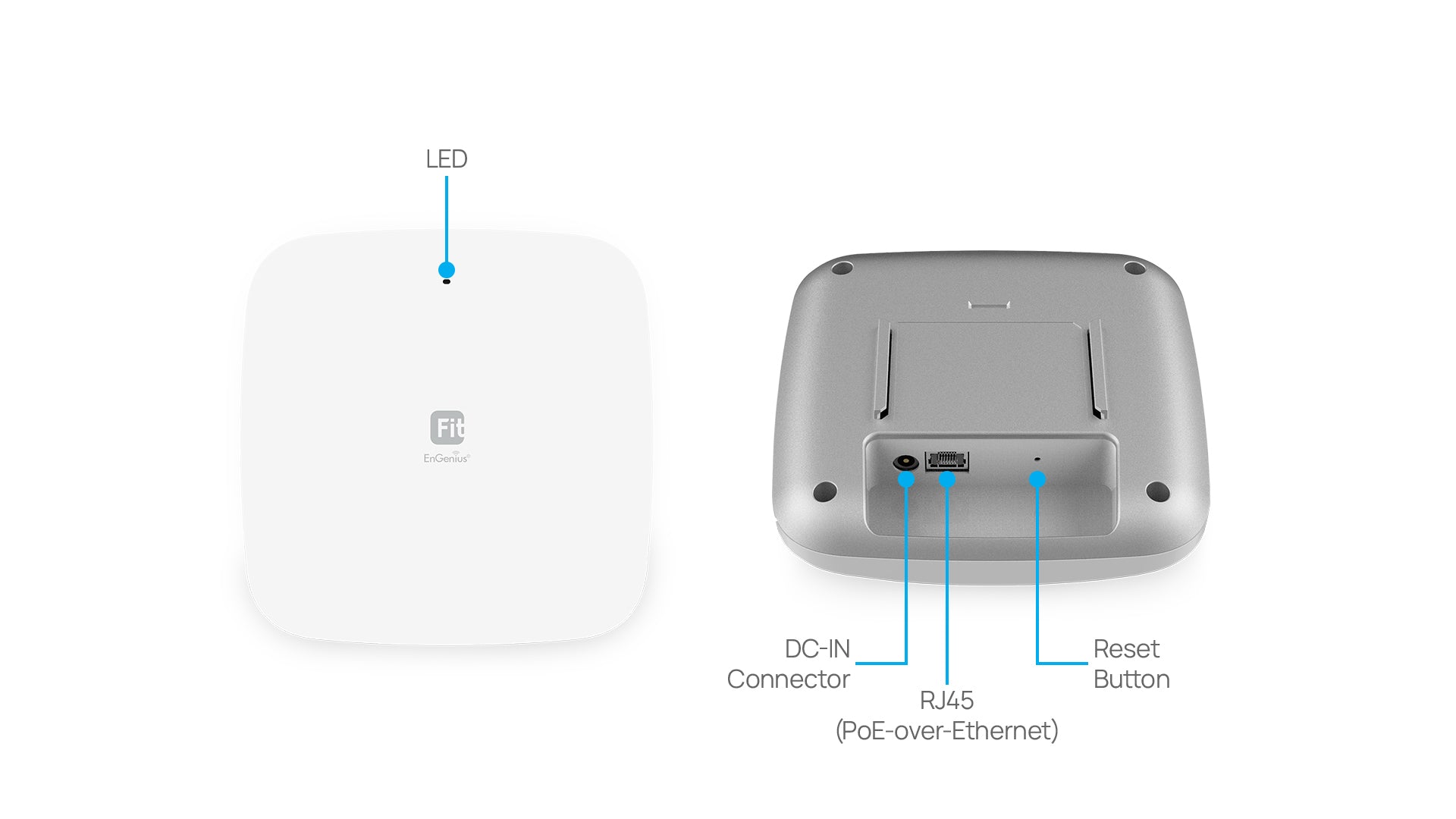
1 x 10/100/1000 BASE-T, RJ-45 Ethernet Port
1x DC Jack
1 x Reset Button
LED Indicators
1 x Power
1 x LAN
1 x 2.4 GHz
1 x 5 GHz
Power Source
Power-over-Ethernet: 802.3af Input
12VDC /1.5A
Maximum Power Consumption
12.8W
Operating Frequency
Dual-Radio Concurrent 2.4 GHz & 5 GHz
Operation Modes
AP, Mesh
Frequency Radio
2.4 GHz: 2400 MHz ~ 2482 MHz
5 GHz: 5150 MHz ~ 5250 MHz, 5250 MHz ~ 5350 MHz, 5470 MHz ~ 5725 MHz, 5725 MHz ~ 5850 MHz
Transmit Power
Up to 21 dBm on 2.4 GHz
Up to 21 dBm on 5 GHz
Tx Beamforming (TxBF)
Radio Chains/Spatial Stream
2x2:2
SU-MIMO
Two (2) spatial streams SU-MIMO for 2.4GHz and two (2) spatial streams SU-MIMO for 5GHz up to 2,974Mbps wireless data rate to a single 11ax wireless client device under both the 2.4GHz and 5GHz radios.
MU-MIMO
Two (2) spatial streams Multiple (MU)-MIMO for up to 2400 Mbps wireless data rate to transmit to one (1) two streams MU-MIMO 11ax capable wireless client devices under 5GHz simultaneously.
Two (2) multiple (MU)-MIMO for up to 574 Mbps wireless data rate to transmit to one (1) two streams MU-MIMO 11ax capable wireless client devices under 2.4GHz simultaneously.
Supported Data Rates (Mbps)
802.11ax:
2.4 GHz: 9 to 574 (MCS0 to MCS11, NSS = 1 to 2)
5 GHz: 18 to 2400 (MCS0 to MSC11, NSS = 1 to 2)
802.11b: 1, 2, 5.5, 11
802.11a/g: 6, 9, 12, 18, 36, 48, 54
802.11n: 6.5 to 300 Mbps (MCS0 to MCS15)
802.11ac: 6.5 to 867 Mbps (MCS0 to MCS9, NSS = 1 to 2)
Supported Radio Technologies
802.11ax: Orthogonal Frequency Division Multiple Access (OFDMA)
802.11b: Direct-sequence spread-spectrum (DSSS)
802.11ac/a/g/n: Orthogonal Frequency Division Multiple (OFDM)
Channelization
802.11ax supports high efficiency (HE) —HE 20/40/80/160 MHz
802.11ac supports very high throughput (VHT) —VHT 20/40/80 MHz
802.11n supports high throughput (HT) —HT 20/40 MHz
802.11n supports very high throughput under the 2.4GHz radio –VHT40 MHz (256-QAM)
802.11n/ac/ax packet aggregation: A-MPDU, A-SPDU
Supported Modulation
802.11ax: BPSK, QPSK, 16-QAM, 64-QAM, 256-QAM, 1024-QAM
802.11ac: BPSK, QPSK, 16-QAM, 64-QAM, 256-QAM
802.11a/g/n: BPSK, QPSK, 16-QAM, 64-QAM
802.11b: BPSK, QPSK, CCK
Multiple BSSID
8 SSIDs for both 2.4GHz and 5GHz radios.
VLAN Tagging
Supports 802.1q SSID-to-VLAN Tagging
Cross-Band VLAN Pass-Through
Management VLAN
Spanning Tree
Supports 802.1d Spanning Tree Protocol
QoS (Quality of Service)
Compliant With IEEE 802.11e Standard
WMM
SNMP
v1, v2c, v3
MIB
I/II, Private MIB
Wireless Security
WPA3
WPA2 Enterprise (AES)
WPA2 AES-PSK
Hide SSID in Beacons
MAC Address Filtering, Up to 32 MACs per SSID
Wireless STA (Client) Connected List
SSH Tunnel
Client Isolation
Temperature Range
Operating: 32ºF~104ºF (0 ºC~40 ºC)
Storage: -40 ºF~176 ºF (-40 ºC~80 ºC)
Humidity (non-condensing)
Operating: 90% or less
Storage: 90% or less
EWS356-FIT Device
Weight: 0.83 lbs. (380 g)
Length: 6.30" (160 mm)
Width: 6.30" (160 mm)
Height: 1.31" (33.2 mm)
EWS356-FIT Packaging
Weight: 1.28 lbs. (580 g)
Length: 8.07" (205 mm)
Width: 8.07" (205 mm)
Height: 3.27" (83 mm)
Package Contents
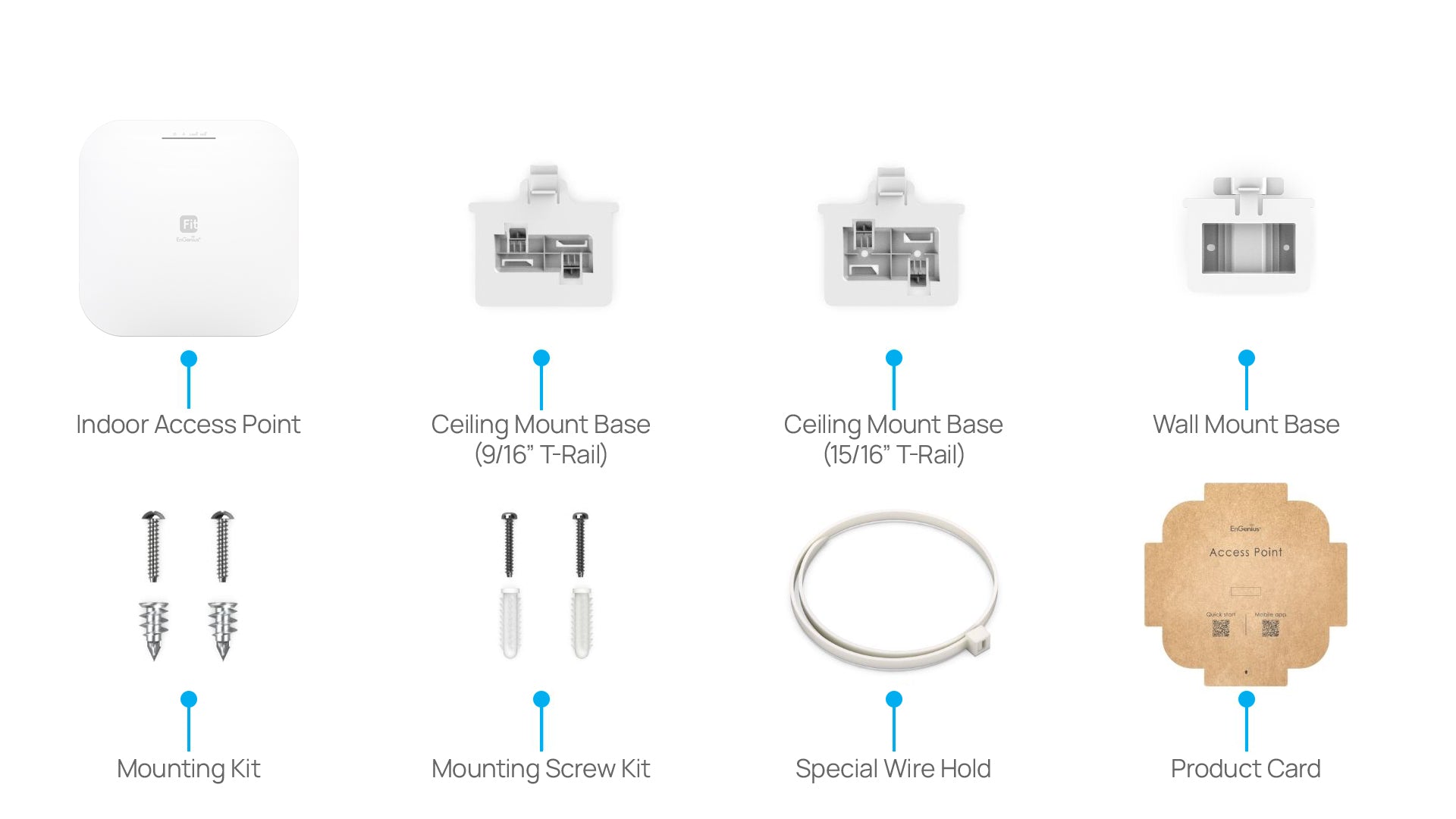
1 - EWS356-FIT Cloud Managed Indoor Access Point
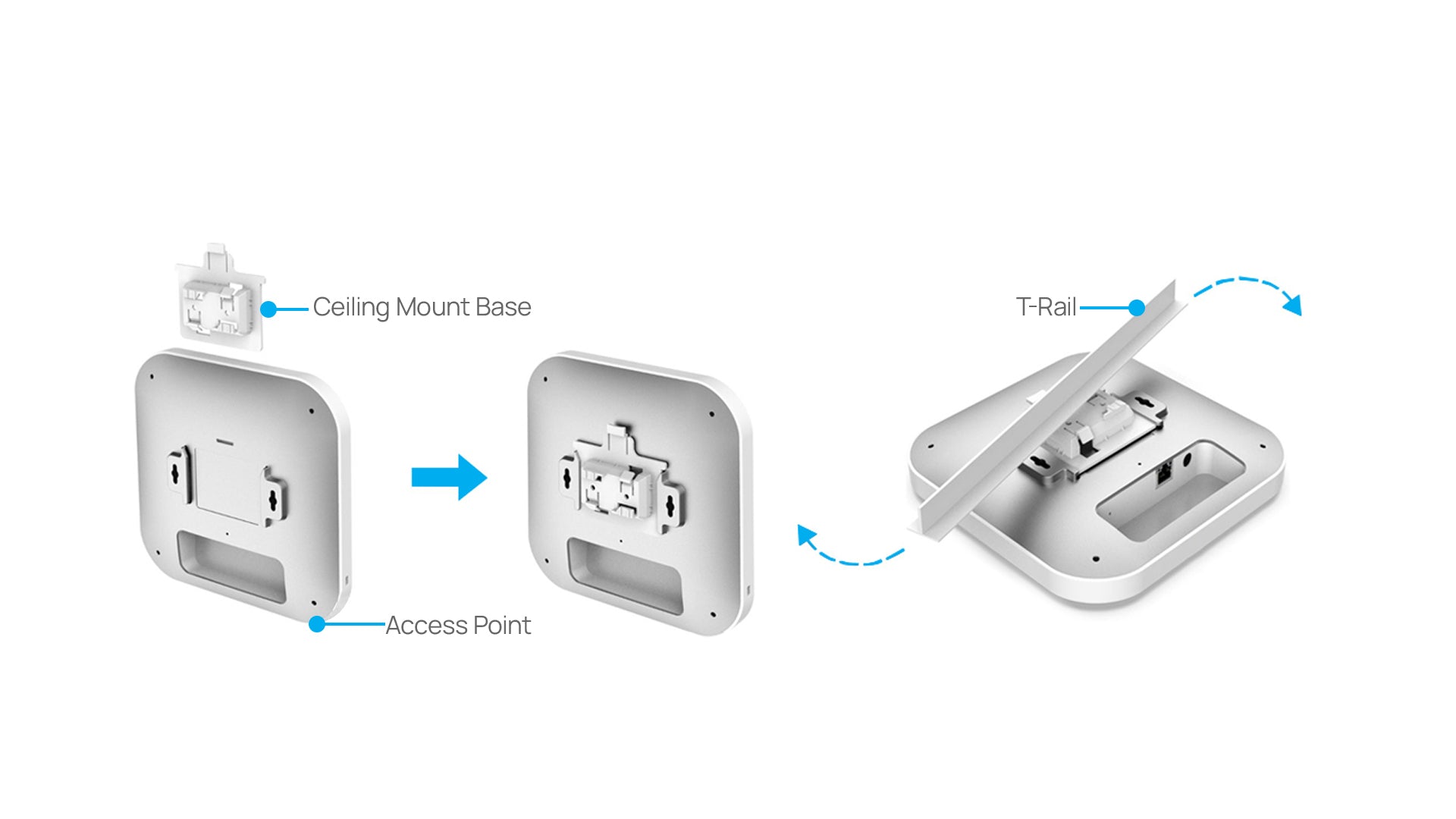
1 – Ceiling Mount Base (9/16” Trail)
1 – Ceiling Mount Base (15/16” Trail)
1 - Ceiling and Wall Mount Screw Kits
Quick Start Guide QR Code
Mobile App QR Code
Certifications
FCC
CE
IC
Warranty
1 Year